Shovel It How to Redeem Codes
Group join, Settings ENTER box, case-sensitive codes, and fixes when redemption fails.
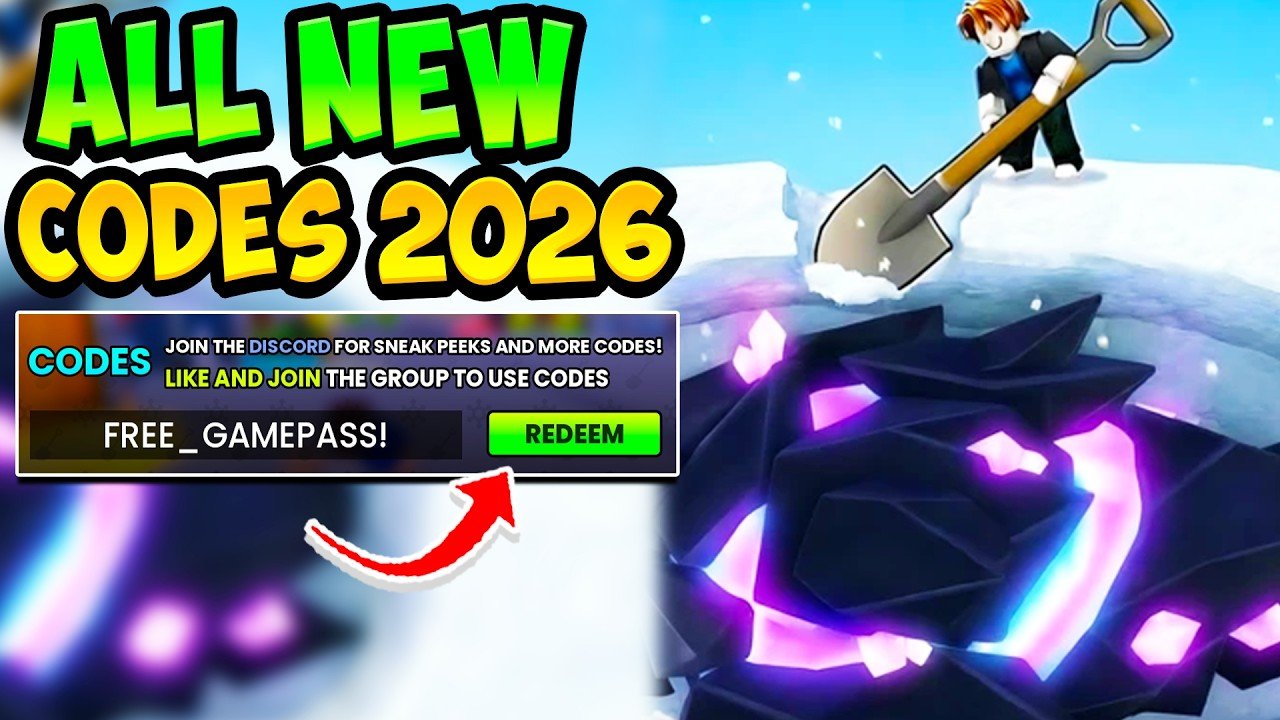
Redeeming Shovel It codes on Roblox takes under a minute once you know where the menu lives—but most failed redemptions come from skipping the group join or mistyping a case-sensitive string. This guide walks through every step for Shovel It! by A Snow Game (place 133832344745984), then covers troubleshooting so you stop losing free coins, luck timers, power buffs, and relic spins.
For the current working list and expired history, always cross-check the Codes Hub before you start. New players should also skim Getting Started so redeemed currency goes into useful early upgrades.
Before you redeem
- Use the correct experience. Open Shovel It! from the official Roblox place page, not a lookalike copy.
- Join the required group. Membership in the official Shovel It community is required for codes. Join first, then relaunch the game if you were already in a session.
- Copy the code carefully. Codes are case-sensitive. Prefer copy-paste from the Codes Hub over retyping from memory.
- Have inventory space and a plan. Large coin drops and short 2x timers are most valuable when you know what you will dig or buy next.
Step-by-step redemption
1. Launch the game and load in
Start Shovel It! and wait until your character and HUD finish loading. Redeem menus often fail or ignore input if you mash UI during the first few seconds of a session.
2. Open Settings (cog, top-left)
Look at the top-left of the screen for the Settings cog icon. Click it to open the settings panel. This is the only supported redeem path for promo codes—there is no separate “Codes” booth you need to walk to.
3. Find the ENTER box
Inside Settings, locate the code field labeled ENTER (or similar wording next to a redeem control). That box accepts promo strings such as UPDATE4, OPTIMIZATION, or RELICS.
4. Type or paste the code
Enter the code exactly as listed:
- Correct letter case (
UPDATE4, notupdate4) - No leading or trailing spaces
- No extra punctuation
5. Press Redeem
Click Redeem. On success you should see a confirmation and the reward applied—coins added, a timed 2x buff started, or relic spins granted. If nothing happens, wait a second and check whether the UI showed an error toast.
6. Repeat for the rest of the list
You can redeem multiple active codes in one session. Work down the active table on the Codes Hub. Skip anything marked expired.
Video walkthrough
The embed on this page shows a codes redeem walkthrough you can pause while matching the Settings UI on your screen. Watch it if the cog or ENTER box is hard to spot on your device layout.
Group join checklist
If redemption fails immediately, verify group membership:
- Open the Shovel It community group in a browser or the Roblox app.
- Confirm you clicked Join and that your account shows as a member.
- Fully leave and rejoin the Roblox experience so the game refreshes group status.
- Try redeeming again with a known active code from the hub.
Group checks are the number-one false “invalid code” report we see.
Troubleshooting common errors
Invalid / incorrect code
- Wrong case or a typo (most common after typing by hand).
- Code already expired—compare against the expired list on the Codes Hub.
- Looking at an outdated screenshot or video description; always use the hub’s September 2026 active table as the source of truth for this wiki.
Already redeemed
- Each code generally works once per account. A second attempt will not grant duplicate coins or spins.
Nothing happens when I press Redeem
- Still loading, or Settings closed before the request finished.
- Soft desync: rejoin the server and try once more.
- Mobile UI: make sure the on-screen keyboard did not insert a trailing space.
I joined the group but codes still fail
- Rejoin the experience after joining the group.
- Confirm you are on the correct Roblox account (the one that joined the group).
- Try a different active code to separate group issues from a single dead string.
Rewards look wrong
- Timed buffs are short (often 5–10 minutes). Check your buffs UI immediately after redeeming.
- Coin totals may update after a brief delay; open your currency display again.
- Relic spins may appear in the relic / spin UI rather than as floating cash.
Spending tips after a successful redeem
- Coin codes (
IHATEDELAYS,DELAY,QOL, and similar): fund shovel upgrades and progression buys you already planned—see Getting Started. - Power / strength timers (
UPDATE4,LAGS,UPDATE2,RADUif still live): dig during the window; do not redeem and then leave. - Luck timers (
OPTIMIZATION,UPDATE3,2MVISITSluck half): save for sessions where weather or mutations matter. - Relic spins (
RELICS, andSECONDUPDATEif still live): spend with a target in mind rather than rolling blind.
After updates
Major patches often ship new codes (UPDATE4, UPDATE3, UPDATE2, QOL-style strings) and retire older apology or visit codes. When the game updates, check both the Codes Hub and the Updates section so you know which strings are fresh and what gameplay systems changed around them.
Quick reference
| Step | Action |
|---|---|
| 1 | Join community group 1005236967 |
| 2 | Launch Shovel It! and finish loading |
| 3 | Open the Settings cog (top-left) |
| 4 | Use the ENTER box |
| 5 | Paste a case-sensitive code → Redeem |
| 6 | Confirm rewards; dig while timers run |
Follow those six steps and you will claim every working string on the Codes Hub without guessing. When a brand-new code appears after a patch note on Updates, return here if the Settings path ever moves—until then, the cog → ENTER → Redeem flow is the one to memorize.
Frequently Asked Questions
Quick answers to the most common questions.
Where is the code box in Shovel It?
Open the Settings cog in the top-left of the HUD, then use the ENTER field and press Redeem. There is no separate world NPC required for standard promo codes.
Why must I join the Roblox group?
Shovel It requires membership in community group 1005236967 before codes redeem successfully. Join, rejoin the game, then try again.
Can I redeem the same Shovel It code twice?
No. Each promo code is typically one-time per account. If you already claimed it, the game will reject a second attempt.
What if my code is correct but still fails?
Confirm group membership, remove spaces, match letter case, rejoin the server, and verify the code is still listed as active on the Codes Hub—not on the expired list.
Should I redeem timed boosts before I start digging?
Yes. Power, strength, and luck multipliers only help while you are actively playing. Redeem when you can dig immediately so the minutes are not wasted.